By Mikhail Khomutetsky, founder of Turbologo, designer, and AI branding specialist
I have seen the same problem hundreds of times. A business owner needs a post for Instagram, a banner for a launch, a story for a discount, and a clean visual for LinkedIn. The idea is ready. The offer is clear. Then design slows everything down.
The task looks small from the outside. One post. One banner. One flyer. But it quietly eats an hour or two.
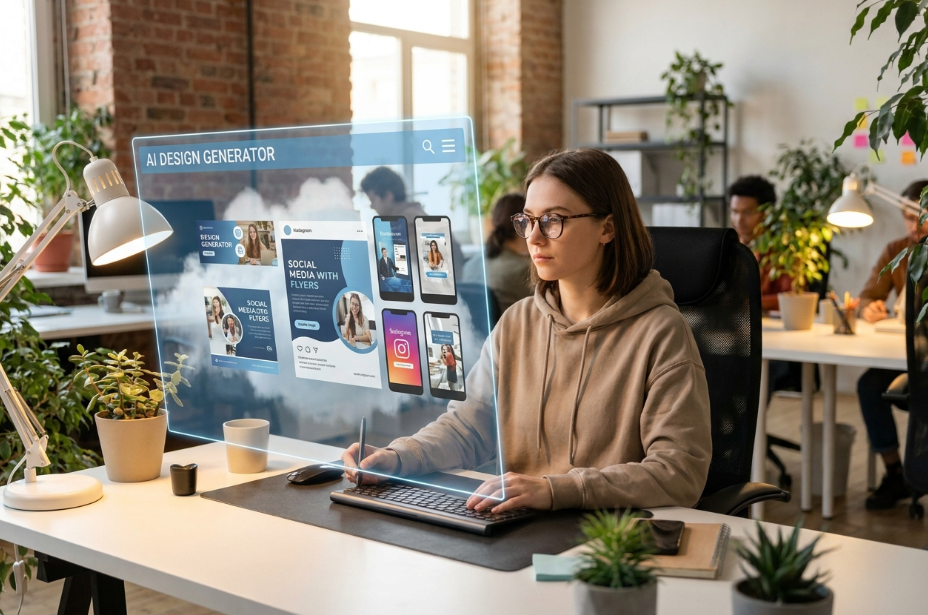
This guide explains how to create social media designs with AI in minutes, even without design skills. More important, it explains how to avoid the usual AI mess: random colors, generic templates, weak text, and visuals that do not match the brand.
Why social media design takes so much time
A social media post has more moving parts than people think.
There is the format. Instagram feed, Instagram story, Facebook post, LinkedIn banner, Pinterest pin – each has its own size and rhythm. Then comes the message. Then the image. Then typography. Then brand colors. Then the call to action.
For a designer, this is normal work. For a cafe owner, a coach, a small online store, or a startup founder, it becomes friction.
The real cost is not only time. The real cost is inconsistency.
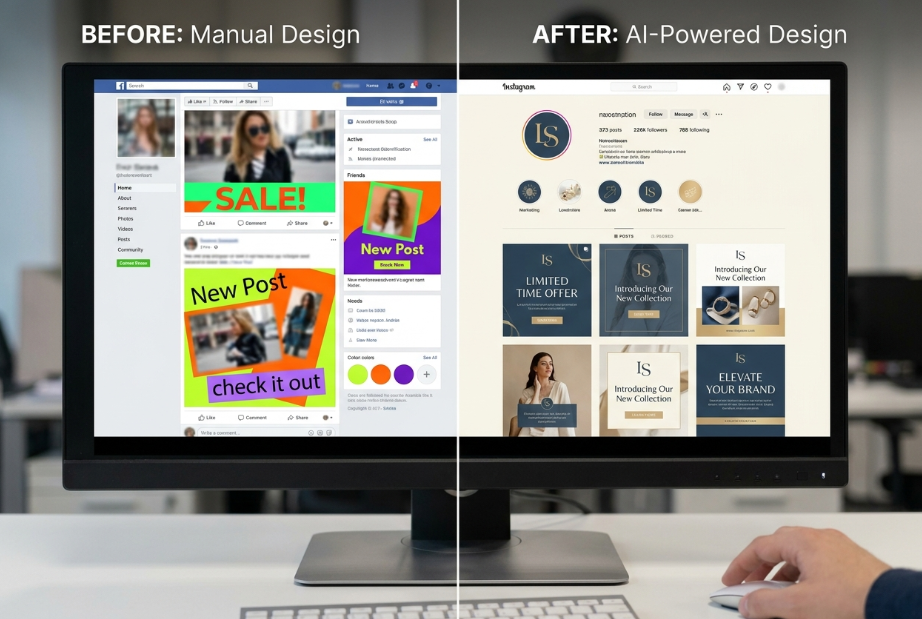
One post uses blue. Another uses beige. A third has a font that looks like a wedding invitation. The fourth has a stock photo from a different planet. The feed starts looking like five brands at once.
That is where AI social media design becomes useful. It shortens the distance between idea and finished visual.
A simple workflow for creating social media designs with AI
Start with the goal, not the tool.
Before opening an ИИ генератор дизайна, write one sentence: what should this design do?
A weak goal sounds like this: “Make a nice Instagram post.”
A stronger goal sounds like this: “Create an Instagram post for a 20% weekend discount at a local coffee shop. The mood is warm, simple, and modern. Use our brown and cream brand colors.”
That short brief already gives AI direction.
Here is a clean process that works for most business owners:
- Choose the content goal: promotion, announcement, education, review, event, product.
- Add brand assets: logo, colors, fonts, product photo, slogan.
- Generate several design options.
- Edit the best version by hand.
- Resize it for the channels where the audience spends time.
The editing part matters. AI gives a fast draft. A human turns it into a brand asset.
What to prepare before generating a design
The result depends on the input. This is where many people rush and then blame the tool.
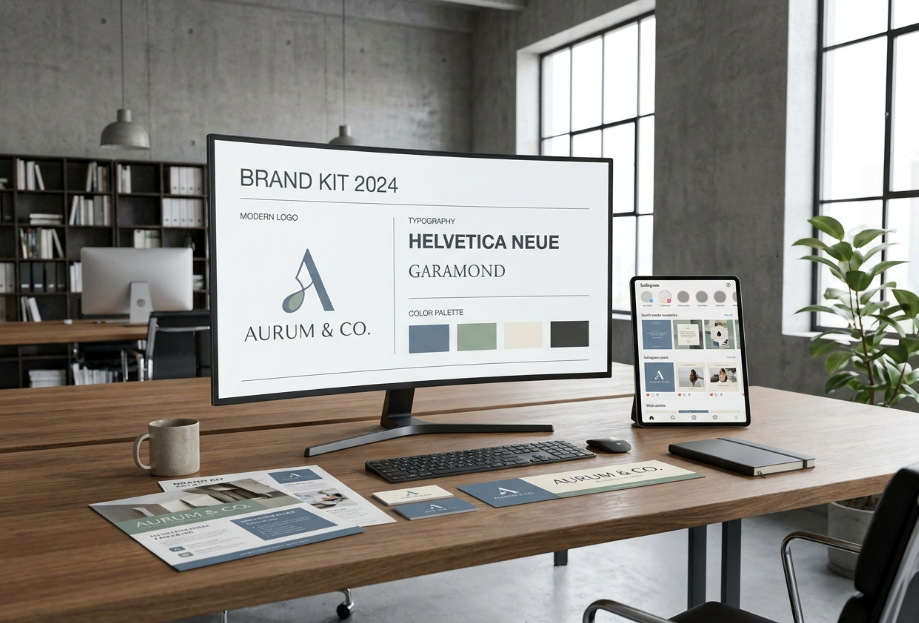
Prepare a small brand kit. It does not need to be complex. For social media, enough basics will do:
- Logo in PNG or SVG
- 2-3 brand colors
- 1 headline font
- 1 text font
- Short brand description
- Product or service photos
- Tone of voice
This is the difference between random AI output and branded content.
A design without a brand kit often looks acceptable as a single post. But after 20 posts, the problem becomes visible. No pattern. No memory. No recognition.
A brand kit creates repetition. Repetition creates recognition. Recognition helps people remember the company.
Creating social media designs in Turbologo
Turbologo was built for people who need design without a long design process. The platform helps create design online, prepare branded visuals, and keep the style consistent across assets.
For social media work, the useful part is not only generation. It is the connection between brand identity and everyday content.
A user starts with brand elements: logo, colors, fonts, and visual style. Then these elements turn into usable materials – banners, social media templates, business cards, favicons, and other brand assets.
For this article’s topic, the practical route is simple: use Turbologo as an AI design generator to create branded social media visuals faster, then adjust the final version so it fits the message, platform, and audience.
This helps business owners avoid a common mistake: making each post from zero. Once the firm style is set, new creatives for соцсетей, banners, flyers, and promo visuals become easier to produce.
What types of social media designs AI handles well
AI works best when the task has a clear pattern.
Promotional posts are a good fit. Sale, limited offer, seasonal campaign, product drop – these formats need clarity and speed.
Educational posts also work well. Tips, mini-guides, checklists, and carousel covers need structure more than artistic complexity.
Announcements are another strong use case. New product, new location, event, webinar, delivery update, working hours – these designs benefit from clean hierarchy.
A генератор баннеров helps with ad creatives and website headers. A генератор флаеров helps when the same offer needs to move from social media to print or email.
The pattern is the same: one brand, one message, several formats.
Common mistakes in AI social media design
The first mistake is chasing decoration. A design can look busy and still fail. Social media moves fast. The viewer needs to understand the message in a second.
The second mistake is using too much text. AI tools often allow long copy, but the feed punishes it. Put the core offer on the visual. Move details to the caption.
The third mistake is ignoring contrast. Light text on a light image kills readability. Fancy fonts can do the same.
The fourth mistake is publishing the first result. AI drafts need editing. Check spelling, spacing, logo placement, and image quality.
Expert tip: Always zoom out before publishing. If the headline is unreadable on a phone screen, the design failed. Social media design lives on small screens, not on a large desktop preview.
AI workflow for small business owners
A realistic weekly process looks like this.
On Monday, prepare five content ideas. On Tuesday, generate designs in batches. On Wednesday, edit the best versions. Then schedule posts across channels.
This removes daily panic.
For a cafe, the batch could include a breakfast promo, weekend dessert post, customer review, new drink announcement, and story design.
For an online store: product highlight, sale banner, delivery reminder, customer photo, and carousel about product benefits.
For a freelancer: case study, testimonial, educational tip, personal story, and service offer.
Batch content gives the business more control. It also keeps the visual style steady.
AI design still needs human judgment
There is one thing I tell business owners often: AI speeds up production, but it does not decide brand strategy.
A design still needs a reason to exist.
Before publishing, ask three questions:
Does the visual say one clear thing?
Does it look like the same brand as previous posts?
Does it give the audience a next action?
If the answer is yes, publish. If not, edit.
This small check saves many weak posts.
Final thoughts
Social media design used to demand time, taste, software skills, and patience. AI changed the entry point. A small business owner can now turn an idea into a branded visual in minutes.
But the best results still come from clear thinking. Define the goal. Keep the brand style consistent. Edit the draft. Use AI for speed, not for blind automation.
For business owners, that is the real value: fewer delays, fewer random designs, and more content that looks connected to the brand.
